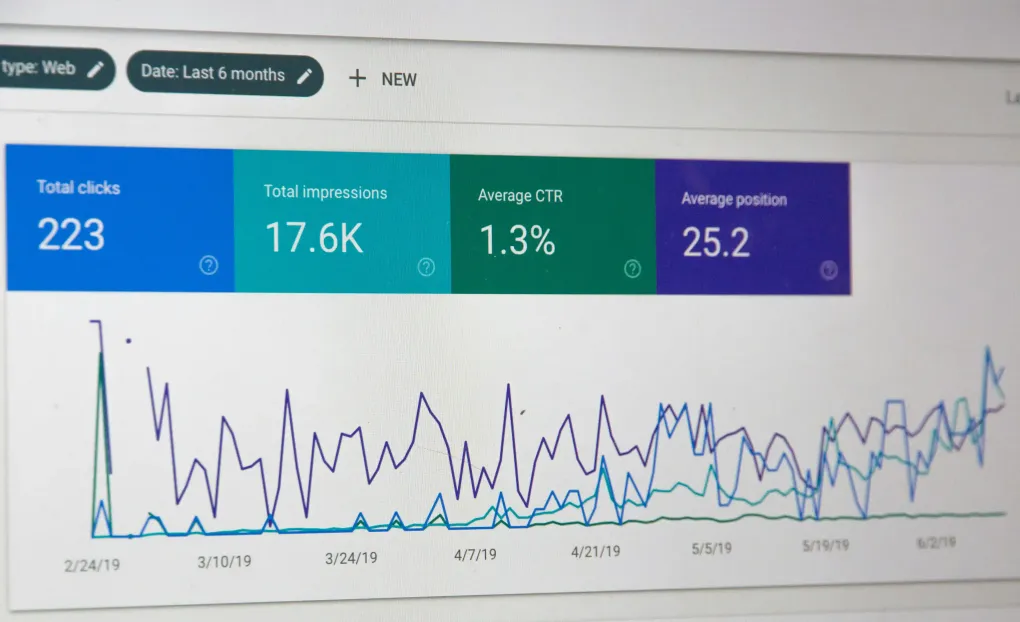
Your website loads in 8 seconds. A competitor’s loads in 2 seconds. A potential customer searches for your services on Google. Guess whose site they visit?
Website performance and SEO (Search Engine Optimisation) are no longer nice-to-haves — they’re fundamental to business success online. A slow, poorly optimised website doesn’t just frustrate users; it actively costs you customers, damages your search rankings, and undermines trust in your brand.
This guide explains why performance and SEO matter, what metrics actually mean something, and practical steps you can take to improve both. Whether you’re considering a website rebuild or wondering why your existing site isn’t delivering results, understanding these fundamentals will help you make better decisions.
Let’s start with the brutal truth: users have no patience for slow websites, and neither does Google.
The Business Impact of Speed
Conversion rates plummet as load times increase:
- At 1 second load time, conversion rates are optimal
- At 3 seconds, conversions drop by approximately 40%
- At 5 seconds, bounce rates (visitors leaving immediately) exceed 90%
- At 10 seconds, you’ve lost nearly everyone
Amazon found that every 100ms of additional load time cost them 1% in sales. For a company generating billions in revenue, that’s a staggering number. Your business may not operate at Amazon’s scale, but the principle applies: slow websites lose customers.
User Experience and Trust
Website speed directly impacts how users perceive your business:
Fast websites feel professional — A site that responds instantly creates confidence. Users assume a fast website indicates a well-run, modern business.
Slow websites feel broken — Delays create frustration and doubt. Users question whether your business is outdated, unreliable, or even still operating.
Mobile users are less patient — With more than half of web traffic now mobile, and mobile connections often slower than broadband, performance on mobile devices is critical.
SEO and Search Rankings
Google explicitly uses page speed as a ranking factor. Their Core Web Vitals initiative makes performance metrics part of how they evaluate and rank sites.
Why Google cares about speed:
- Google’s mission is to provide the best results to users
- Fast websites create better user experiences
- Users are more likely to return to and trust Google if results are consistently high-quality
- Therefore, Google rewards fast sites with better rankings
The compounding effect:
- Better rankings → more traffic
- More traffic → more potential customers
- More conversions → more revenue
Conversely, poor performance leads to worse rankings, less traffic, and fewer opportunities.
“Your website’s performance isn’t just a technical consideration — it’s a business priority that directly impacts your bottom line through both user experience and search visibility.”
Understanding Core Web Vitals
Google’s Core Web Vitals are three specific metrics that measure user experience. Understanding these helps you focus optimisation efforts effectively.
Largest Contentful Paint (LCP)
What it measures: How long it takes for the largest visible content element to load.
Why it matters: LCP indicates when the main content of your page becomes visible. Users judge page speed based on when they see meaningful content, not when the entire page finishes loading.
Good score: 2.5 seconds or less
Needs improvement: 2.5-4 seconds
Poor: Over 4 seconds
What affects LCP:
- Large, unoptimised images
- Slow server response times
- Render-blocking resources (CSS, JavaScript)
- Client-side rendering delays
Common culprits: Hero images that aren’t optimised, slow hosting, inefficient code that blocks rendering.
Cumulative Layout Shift (CLS)
What it measures: Visual stability — how much page content shifts around while loading.
Why it matters: Nothing frustrates users more than clicking a button, only for it to move at the last second because an image or ad loaded above it. CLS quantifies this annoyance.
Good score: 0.1 or less
Needs improvement: 0.1-0.25
Poor: Over 0.25
What causes layout shift:
- Images or videos without specified dimensions
- Dynamically injected content (ads, embeds)
- Web fonts causing text to reflow (FOIT/FOUT)
- Iframes without dimensions
Example: A user tries to click “Buy Now” but an ad loads above the button, shifting it down. They accidentally click the ad instead. Frustrating experience, lost sale.
What it measures: Responsiveness — how quickly the page responds when users interact with it.
FID measures the delay between first interaction (click, tap) and the browser’s response. INP (the newer metric replacing FID) measures the latency of all interactions throughout the page lifecycle.
Why it matters: Even if your page looks loaded, if it doesn’t respond to clicks immediately, users assume it’s broken or frozen.
Good INP score: 200ms or less
Needs improvement: 200-500ms
Poor: Over 500ms
What causes poor responsiveness:
- Heavy JavaScript execution blocking the main thread
- Large JavaScript bundles
- Inefficient event handlers
- Excessive DOM size
Example: User clicks a menu button. Nothing happens for a second. They click again, confused. Then both clicks register simultaneously, opening and immediately closing the menu. Frustrating.
Additional Important Metrics
While Core Web Vitals are crucial, other metrics also matter:
Time to First Byte (TTFB) — How quickly your server responds. Should be under 600ms. Slow TTFB indicates server or network issues.
First Contentful Paint (FCP) — When the first content (text, image) appears. Should be under 1.8 seconds.
Total Blocking Time (TBT) — How long the main thread is blocked by long tasks. Affects interactivity.
Speed Index — How quickly content is visually populated. Lower is better.
You can’t improve what you don’t measure. Here are the best tools for understanding your site’s performance:
Google PageSpeed Insights
URL: pagespeed.web.dev
What it does:
- Analyses both mobile and desktop performance
- Provides Core Web Vitals scores
- Offers specific recommendations for improvement
- Shows both lab data (simulated) and field data (real users)
How to use: Simply enter your URL and wait for the analysis. Focus on the mobile score first (Google prioritises mobile).
Google Search Console
What it does:
- Shows Core Web Vitals for your entire site based on real user data
- Identifies which pages need improvement
- Tracks performance over time
- Free for website owners
How to use: Add your site to Search Console and check the “Core Web Vitals” report to see which pages need attention.
Lighthouse
What it does:
- Built into Chrome DevTools
- Comprehensive performance, accessibility, SEO, and best practices audit
- Detailed diagnostics and suggestions
- Can test on your local machine
How to use: Open Chrome DevTools (F12), go to the Lighthouse tab, and run an audit.
WebPageTest
URL: webpagetest.org
What it does:
- Advanced performance testing
- Tests from multiple locations worldwide
- Shows waterfall charts of resource loading
- Provides film strip view of page rendering
How to use: Enter your URL, select test location and browser, and analyse detailed results.
GTmetrix
URL: gtmetrix.com
What it does:
- Combines multiple performance metrics
- Historical tracking to monitor changes
- Detailed recommendations
- Video playback of page loading
How to use: Free account allows regular testing and tracking of your site over time.
Understanding the metrics is one thing; improving them requires action. Here are the most effective optimisations:
1. Optimise Images
Images typically account for the majority of page weight. Optimising them provides the biggest performance gains.
Best practices:
Use appropriate formats:
- WebP for photographs (much smaller than JPEG with same quality)
- SVG for logos, icons, and simple graphics
- AVIF for even better compression (newer format with growing support)
- PNG only when transparency is essential
Compress images:
- Use tools like TinyPNG, ImageOptim, or Squoosh
- Aim for 80-85% quality (often visually indistinguishable from 100%)
- Automate compression in your build process
Specify dimensions:
- Always include width and height attributes
- Prevents layout shift (improves CLS)
- Allows browser to reserve space while loading
Implement lazy loading:
- Load images only when they’re about to enter the viewport
- Use
loading="lazy" attribute on images below the fold
- Dramatically reduces initial page weight
Use responsive images:
- Serve appropriately sized images for different screen sizes
- Use
srcset and sizes attributes
- Don’t make mobile users download desktop-sized images
Example impact: A site with ten 2MB images loads 20MB. Optimised to WebP at 200KB each: 2MB total. That’s 90% reduction in image weight.
2. Implement Caching
Caching stores copies of resources so they don’t need to be downloaded every visit.
Browser caching:
- Set appropriate cache headers for static assets
- CSS, JavaScript, and images can often be cached for a year
- HTML should have shorter cache times (or none) so changes appear quickly
Server-side caching:
- Cache database queries and page renders
- Dramatically reduces server load
- WordPress sites benefit enormously from caching plugins (WP Rocket, W3 Total Cache)
CDN (Content Delivery Network):
- Distributes content across global servers
- Users download from the closest server
- Reduces latency significantly
- Cloudflare, Fastly, and AWS CloudFront are popular options
Example: First visit downloads 2MB. With proper caching, subsequent visits download only 50KB of updated content.
3. Minify and Compress Code
Minification removes unnecessary characters (whitespace, comments) from code without changing functionality.
CSS and JavaScript minification:
- Can reduce file sizes by 30-50%
- Modern build tools (Webpack, Vite, Astro) do this automatically
- Ensure minification is enabled in production
HTML minification:
- Remove comments and unnecessary whitespace
- Less impactful than CSS/JS but still worthwhile
Gzip/Brotli compression:
- Server compresses files before sending
- Browser decompresses automatically
- Typically reduces text file sizes by 70-80%
- Brotli offers better compression than Gzip (use if supported)
Example: 500KB of JavaScript, minified to 350KB, compressed to 70KB. That’s 86% reduction.
4. Reduce HTTP Requests
Each file (CSS, JavaScript, image, font) requires a separate request. Fewer requests means faster loading.
Strategies:
Combine files:
- Merge multiple CSS files into one
- Combine JavaScript files
- Modern build tools handle this automatically
Use CSS sprites (for icons):
- Combine multiple small images into one file
- Use CSS to display only the needed portion
- Or better: use SVG sprites or icon fonts
Inline critical CSS:
- Include essential above-the-fold CSS directly in HTML
- Eliminates render-blocking external CSS request
- Load full stylesheet asynchronously
Limit third-party scripts:
- Every analytics tool, chat widget, and social plugin adds requests
- Audit regularly and remove unused scripts
- Consider whether you really need each third-party integration
5. Optimise JavaScript Execution
JavaScript is the main culprit for poor interactivity scores.
Best practices:
Defer non-critical JavaScript:
- Use
defer attribute to load scripts without blocking rendering
- Use
async for scripts that don’t depend on DOM being ready
Code splitting:
- Load only the JavaScript needed for the current page
- Split large bundles into smaller chunks
- Modern frameworks (React, Vue) support automatic code splitting
Remove unused JavaScript:
- Audit your bundles for dead code
- Tree-shaking removes unused exports automatically
- Consider whether you need entire libraries or can use smaller alternatives
Avoid long tasks:
- Break up JavaScript execution into smaller chunks
- Use requestIdleCallback for non-essential work
- Yields control to the browser between tasks
Example: Replace a 500KB jQuery + plugins bundle with vanilla JavaScript or a smaller library like Alpine.js (15KB). Dramatic improvement in load time and interactivity.
6. Optimise Web Fonts
Custom fonts can significantly impact performance if not handled properly.
Best practices:
Limit font variations:
- Each weight and style is a separate file
- Do you really need seven font weights? Often 2-3 suffice
Use font-display:
font-display: swap shows system font immediately, then swaps when custom font loads- Prevents invisible text while fonts load
Subset fonts:
- Include only characters you actually use
- Latin charset only if you don’t need Cyrillic, Asian characters, etc.
- Can reduce font files by 80%+
Self-host fonts:
- Hosting fonts on your domain is often faster than Google Fonts
- Eliminates additional DNS lookup and connection
Consider variable fonts:
- Single file contains all weights/styles
- Smaller total file size than multiple static fonts
7. Improve Server Response Time
A fast front-end doesn’t help if your server is slow.
Strategies:
Choose quality hosting:
- Cheap shared hosting is often slow and unreliable
- Consider managed WordPress hosting or VPS for better performance
- Server location matters (closer to your users is better)
Optimise database queries:
- Slow queries are common performance killers
- Add appropriate indexes
- Cache query results
- Regularly clean up your database
Use a CDN:
- Offloads static content serving from your main server
- Reduces server load significantly
- Improves global performance
Implement server-side caching:
- Redis or Memcached for object caching
- Varnish for full-page caching
- Dramatically reduces server load
Upgrade to HTTP/2 or HTTP/3:
- Multiplexing allows multiple requests over single connection
- Server push can send resources before they’re requested
- Significant performance improvement over HTTP/1.1
8. Reduce Redirects
Each redirect adds an additional HTTP request and delays page load.
Common issues:
- www to non-www (or vice versa)
- HTTP to HTTPS
- Trailing slash inconsistencies
- Chains of redirects (page → redirect 1 → redirect 2 → final page)
Solution: Minimise redirects where possible. One redirect (HTTP to HTTPS) is reasonable; multiple chained redirects should be fixed.
SEO Fundamentals for Business Websites
Performance is one aspect of SEO, but effective optimisation covers multiple areas:
1. Content Quality and Relevance
What Google wants: Helpful, relevant content that answers users’ questions.
Best practices:
- Write for humans first, search engines second
- Cover topics comprehensively
- Use clear, straightforward language
- Answer common customer questions
- Update content regularly to keep it current
- Demonstrate expertise and authority
Avoid: Keyword stuffing, thin content, duplicate content, content written solely for rankings.
Metadata tells search engines and users what your pages are about.
Title tags:
- 50-60 characters (longer gets truncated in search results)
- Include primary keyword naturally
- Make them compelling (users click interesting titles)
- Unique for every page
Meta descriptions:
- 150-160 characters
- Summarise page content
- Include call to action
- Include keywords (they’re bolded in search results)
- Not a direct ranking factor, but affects click-through rates
Header tags (H1, H2, H3):
- Clear hierarchy helps users and search engines
- One H1 per page (usually page title)
- H2s for main sections, H3s for subsections
- Include relevant keywords naturally
URL structure:
- Short, descriptive URLs
- Include keywords where appropriate
- Use hyphens to separate words
- Avoid unnecessary parameters and numbers
Example:
- Good:
yoursite.com/web-design-services
- Poor:
yoursite.com/page.php?id=123&cat=45
3. Mobile Responsiveness
Google uses mobile-first indexing — it primarily evaluates your mobile site, not desktop.
Requirements:
- Responsive design that adapts to all screen sizes
- Text readable without zooming
- Clickable elements appropriately sized and spaced
- No horizontal scrolling
- Fast loading on mobile connections
Test: Use Google’s Mobile-Friendly Test tool to check your site.
4. Technical SEO
Technical foundations ensure search engines can crawl and index your site effectively.
Essential elements:
XML sitemap:
- Lists all important pages on your site
- Submit to Google Search Console
- Helps search engines discover content
Robots.txt:
- Tells search engines which pages to crawl
- Prevent crawling of admin areas, duplicate content
- Don’t accidentally block important content
Schema markup (structured data):
- Helps search engines understand your content
- Enables rich results (reviews, recipes, events, etc.)
- Use Schema.org vocabulary
HTTPS:
- Secure sites (HTTPS) get ranking preference
- Builds user trust
- Essential for e-commerce and any site collecting information
Canonical tags:
- Specify the preferred version of duplicate/similar pages
- Prevents duplicate content issues
404 error handling:
- Custom 404 pages improve user experience
- Monitor 404s and fix broken links
5. Internal Linking
Internal links help users navigate and help search engines understand site structure.
Best practices:
- Link to related content naturally
- Use descriptive anchor text (not “click here”)
- Ensure important pages are easily reachable (within 3 clicks from homepage)
- Create topic clusters (pillar pages with supporting articles)
6. External Links and Backlinks
Links from other websites to yours signal authority and relevance.
Quality over quantity:
- One link from a respected industry site is worth more than hundreds from low-quality sites
- Relevant links (from similar industries/topics) are more valuable
- Natural links (earned through good content) are best
How to earn backlinks:
- Create valuable, link-worthy content
- Guest posting on relevant sites
- Digital PR and outreach
- Being mentioned in press or industry publications
- Partnerships and business relationships
Avoid: Buying links, link schemes, excessive link exchanges — these can result in penalties.
7. Local SEO (for Location-Based Businesses)
If you serve a specific geographic area, local SEO is crucial.
Key elements:
Google Business Profile:
- Claim and optimise your listing
- Accurate business information (NAP: Name, Address, Phone)
- Business hours, photos, services
- Encourage customer reviews
Local citations:
- Consistent business information across directories (Yelp, Yellow Pages, industry directories)
- Consistency is critical (same address format, phone number everywhere)
Location pages:
- If you serve multiple areas, create dedicated pages for each
- Include local keywords naturally
- Add location-specific content
Reviews:
- Encourage satisfied customers to leave reviews
- Respond to reviews (both positive and negative)
- Reviews impact local rankings significantly
Performance and SEO aren’t separate concerns — they’re deeply interconnected:
Performance affects rankings:
- Core Web Vitals are ranking factors
- Slow sites rank lower, all else being equal
- Mobile performance particularly important
Performance affects user behaviour:
- Slow sites have high bounce rates
- Google notices when users immediately return to search results (pogo-sticking)
- Poor user engagement signals to Google that the site isn’t valuable
Performance affects conversions:
- Better rankings from SEO bring more traffic
- Good performance converts that traffic effectively
- Poor performance wastes the traffic SEO brings
Accessibility overlaps both:
- Accessible sites perform better technically
- Semantic HTML helps both accessibility and SEO
- Clear content structure benefits users and search engines
At JB Cyber Services, we don’t treat performance and SEO as afterthoughts — they’re built into every project from the beginning.
Modern, efficient frameworks:
- We use performant frameworks like Astro, which generates minimal JavaScript
- Static site generation where appropriate for maximum speed
- Progressive enhancement ensures core content loads fast
Optimised asset delivery:
- Automated image optimisation in our build process
- Modern image formats (WebP, AVIF) with fallbacks
- Lazy loading implemented by default
- CSS and JavaScript minification and compression
Strategic caching:
- Appropriate cache headers for all assets
- CDN integration for global performance
- Service workers for offline functionality where beneficial
Real-world testing:
- We test on actual devices, not just emulators
- Regular Core Web Vitals monitoring
- Performance budgets to prevent regression
SEO-Optimised from Launch
Technical foundation:
- Semantic HTML structure
- Proper heading hierarchy
- Clean, descriptive URLs
- XML sitemaps and robots.txt configured correctly
- Schema markup for appropriate content types
Mobile-first design:
- Responsive by default, not an afterthought
- Touch-friendly interfaces
- Performance optimised for mobile connections
Metadata and content:
- Unique, compelling title tags and meta descriptions
- Guidance on content structure and keyword usage
- Internal linking strategy
- Clear calls to action
Ongoing Optimisation
Websites need continuous attention to maintain performance and rankings:
Performance monitoring:
- Regular Core Web Vitals checks
- Lighthouse audits after updates
- Monitoring for performance regressions
SEO maintenance:
- Search Console monitoring
- Rank tracking for key terms
- Content updates and additions
- Technical SEO audits
Continuous improvement:
- We don’t build and disappear
- Ongoing optimisation as part of support packages
- Proactive recommendations for improvements
Transparent Reporting
We provide clear insights into your site’s performance:
- Core Web Vitals dashboards
- Search Console integration and reporting
- Traffic and conversion analysis
- Actionable recommendations in plain English
Avoid these pitfalls we frequently see:
Using page builders that generate bloated code — Many popular page builders create slow, inefficient sites. Convenience during building creates long-term performance problems.
Neglecting mobile experience — Assuming mobile is “good enough” rather than prioritising it. Google uses your mobile site for ranking.
Installing too many plugins/widgets — Each plugin adds code, requests, and potential conflicts. Quality over quantity.
Ignoring Core Web Vitals warnings — Search Console shows which pages have issues. Ignoring these warnings means accepting lower rankings.
Optimising for one-time scores rather than real users — Gaming PageSpeed Insights scores without improving actual user experience. Google increasingly uses real user data.
Not measuring before optimising — Making changes without baseline measurements means you can’t prove improvement.
Treating SEO as one-time setup — SEO requires ongoing attention. Competitors don’t stop optimising; neither should you.
If you’re concerned about your site’s performance or search visibility:
This week:
- Run your site through PageSpeed Insights
- Check Google Search Console for Core Web Vitals issues
- Test your site on actual mobile devices
- Note obvious problems (huge images, slow loading, mobile issues)
This month:
- Implement quick wins (compress images, enable caching)
- Set up Search Console if you haven’t
- Review and optimise metadata for key pages
- Ensure your site is mobile-responsive
This quarter:
- Comprehensive performance audit
- Technical SEO review
- Content optimisation for key pages
- Consider whether your current platform and hosting are holding you back
Ongoing:
- Monitor Core Web Vitals monthly
- Track rankings for important keywords
- Regular content updates and additions
- Performance regression testing after updates
Conclusion
Website performance and SEO optimisation aren’t technical niceties — they’re business essentials that directly impact your ability to attract and convert customers.
Fast, well-optimised websites:
- Rank better in search results, bringing more traffic
- Convert visitors more effectively, generating more leads and sales
- Build trust and credibility with potential customers
- Provide better user experiences that encourage return visits
- Cost less to host and maintain (efficient code uses fewer resources)
The good news is that performance and SEO improvements don’t require complete rebuilds in most cases. Strategic optimisations can deliver dramatic results, and modern development practices make it straightforward to build performant, SEO-friendly sites from the start.
Whether you’re launching a new site or improving an existing one, making performance and SEO priorities will pay dividends through better search visibility, more traffic, and improved conversions.
If you’re concerned about your website’s performance or search rankings, or you’re planning a new site and want to ensure it’s built properly from the beginning, we’re here to help. We build websites that are fast, accessible, search-friendly, and genuinely effective at achieving business goals.
Because your website should be working for your business, not holding it back.